When someone leaves your company, what actually happens next? At most small businesses, offboarding starts with an email to IT and a hope that nothing gets missed. Sometimes that works. Often, it leaves a former employee with access to company email, files and client data for days or even weeks.
At Tech Plus Consulting, we help Oakland, San Francisco and East Bay businesses with 20–100 employees replace that scramble with a single, automated "kill switch." Here's what goes wrong with manual offboarding, and what a better process looks like.
The scramble: where manual offboarding breaks down
The gaps are predictable. We see the same ones again and again:
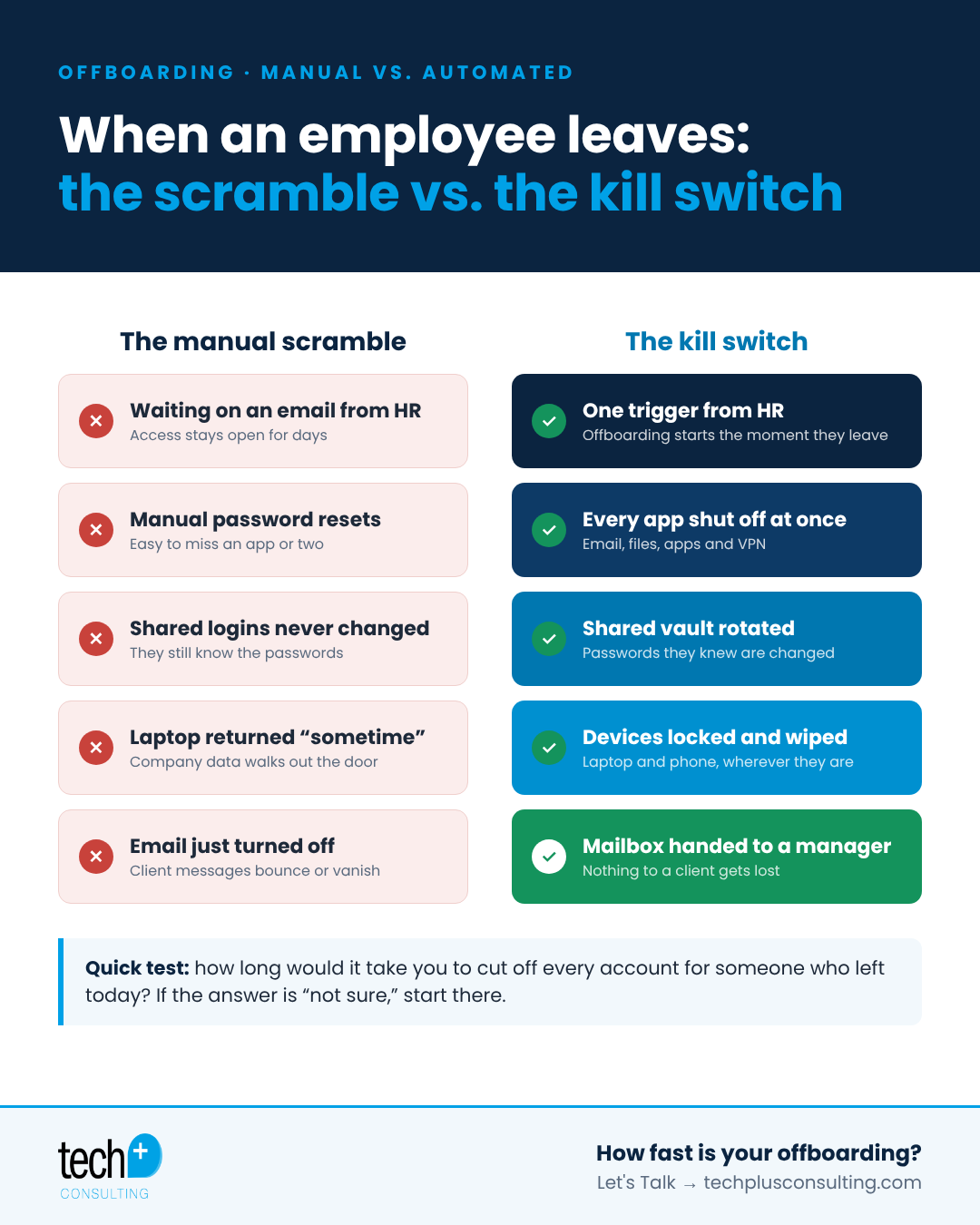
Email stays on for days. The account isn't disabled until someone remembers, and the former employee can still read and send mail from their phone.
Shared logins never change. The Wi-Fi password, the social media account, the vendor portal, the alarm code. Everyone who ever knew them still does.
Laptops come back "sometime." Especially for remote staff, devices full of company data sit in a closet or a car with no way to lock them.
Mailboxes get shut off too hard. In the rush to cut access, the mailbox is deleted, and client emails start bouncing or disappear entirely.
Cloud apps get forgotten. The average team uses dozens of SaaS tools. Each one is a separate login, and each one is easy to miss.
None of this is anyone's fault. It's what happens when offboarding depends on memory and a checklist buried in someone's inbox.
The kill switch: offboarding in minutes, not days
The fix is to make offboarding a single trigger instead of a to-do list. When HR marks an employee as terminated in your HR platform (for example Rippling, Gusto or TriNet), automation takes over:
Every app shuts off at once. With single sign-on (SSO) in place, disabling one identity cuts access to email, file storage, CRM and every connected app in one step.
Shared passwords rotate. Any shared credentials the person had access to are changed through your team password vault.
Devices lock and wipe remotely. Mobile device management (MDM) lets IT lock or wipe a company laptop or phone wherever it is, and track it until it's returned.
The mailbox goes to a manager. Instead of bouncing, email is delegated or forwarded so client conversations keep moving and nothing slips through the cracks.
Files are preserved. Ownership of documents transfers to the right person, so work isn't lost when the account goes away.
The same automation works in reverse for new hires: one entry in your HR system triggers equipment ordering, account setup and access by role. We've seen this take a two-hour onboarding down to about five minutes. Learn more on our onboarding automation page.
Why offboarding is a security issue, not just an HR task
Former employees with lingering access are one of the most common and most preventable sources of data exposure. Even when nobody means harm, an old account with a reused password is an easy target for attackers. Cyber insurance carriers increasingly ask how quickly you can remove access, and a clear, documented process makes that answer easy.
A quick employee offboarding checklist
Disable the user's identity (SSO) and email login the same day they leave
Revoke access to every SaaS app, VPN and remote access tool
Rotate shared passwords, Wi-Fi keys and door or alarm codes they knew
Lock company devices and arrange their return, or wipe them remotely
Delegate the mailbox and transfer file ownership to a manager
Remove MFA devices and recovery options tied to the account
Document the date and time access was removed
Quick test: how long would it take you?
If someone left your company today, how long would it take to cut off every account they have? If the answer is "not sure," that's the place to start.
Frequently asked questions
How fast should offboarding happen?
Access should be removed the same day an employee leaves, ideally at the moment HR processes the departure. With automation, that's minutes.
Do we need SSO to automate offboarding?
SSO makes it far easier, because one switch controls many apps. Without it, each app has to be disabled separately, which is where things get missed.
What about remote employees' laptops?
With MDM, company devices can be locked or wiped remotely, so data stays protected even before the laptop is shipped back.
Want offboarding that takes minutes instead of days?
Tech Plus is a white-glove managed IT and cybersecurity provider in Oakland. We set up onboarding and offboarding automation for our managed IT clients and for internal IT teams that want a better process. Let's Talk →
