

Choosing a managed service provider (MSP) is one of the biggest technology decisions a growing business makes. The right partner becomes your IT department: they protect your data, keep your team productive and help you plan for growth. The wrong one leaves you with slow tickets, surprise invoices and security gaps you don't find out about until something goes wrong.
Tech Plus Consulting has been the outsourced IT department for Oakland, San Francisco and East Bay businesses for more than a decade. This MSP buyer's guide covers the questions we'd ask if we were in your shoes, the red flags to watch for, and what good actually looks like for a company with 20–100 employees.
Start with what you need
Before you talk to providers, write down a few basics: how many people and devices you have, where they work (office, home or both), the apps your business depends on, any cyber insurance or client security requirements, and what's frustrating about IT today. That list keeps every conversation focused on your business instead of a sales script.
10 questions to ask before you sign
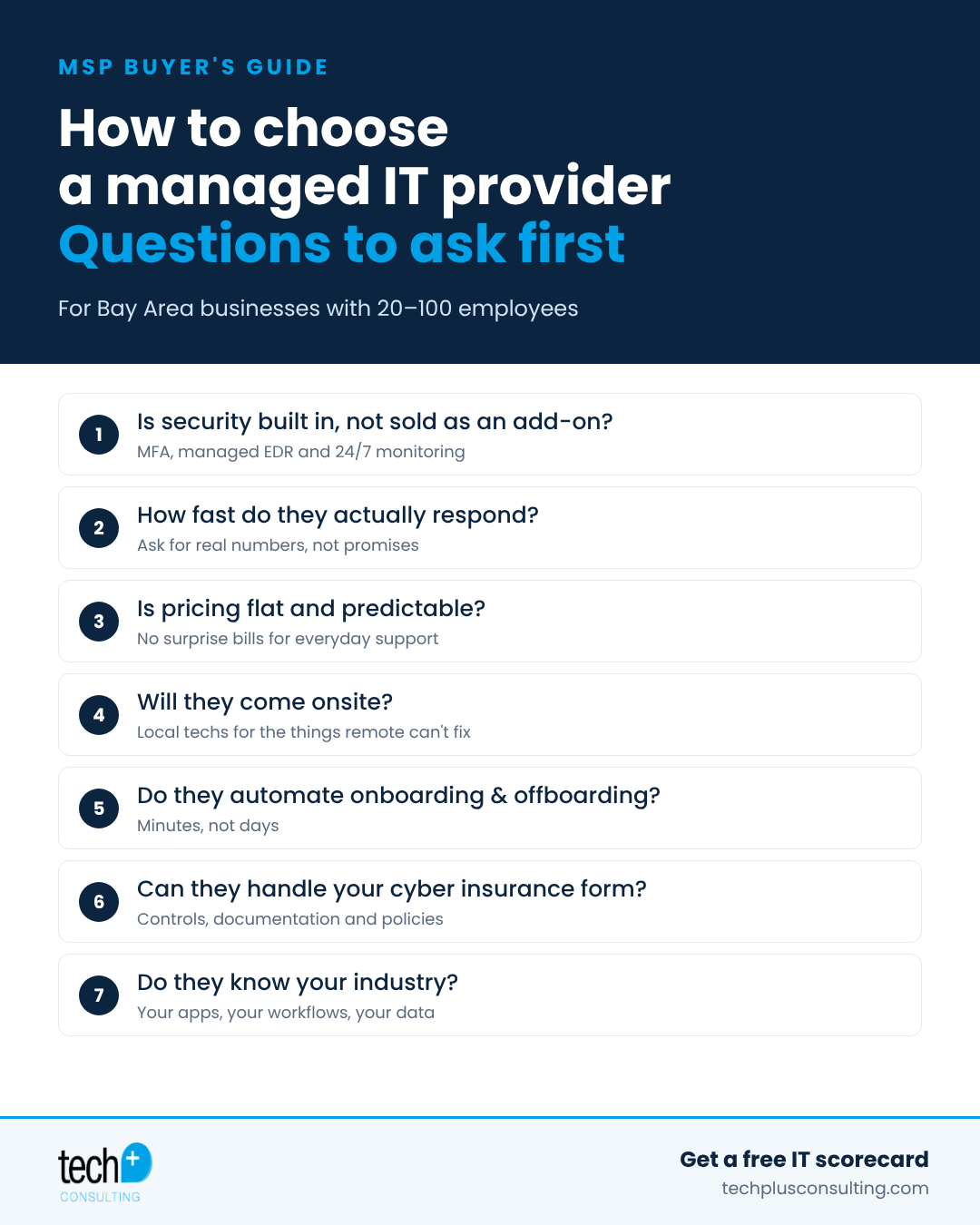
1. Is cybersecurity built in, or sold as an add-on?
Security shouldn't be an upsell. A modern managed IT plan should include multi-factor authentication (MFA), managed endpoint detection and response (EDR) with a 24/7 security operations center (SOC), patching and backups as standard. Ask exactly which security tools are included in the monthly price.
2. How fast do they actually respond?
Every MSP says they're responsive. Ask how support requests come in (email, phone, chat), who answers, what happens after hours, and how emergencies are handled. Ask for real numbers from their help desk, not just the contract SLA.
3. Is pricing flat and predictable?
Look for a fixed monthly price that covers everyday support. Ask what's billed extra, how projects are quoted and how user changes are handled. If you can't predict next month's IT bill, keep asking questions.
4. Will they come onsite?
Most issues can be fixed remotely, but not all. Printers, Wi-Fi, conference rooms, new hires' desks and office moves need someone local. Ask where their technicians are based and how quickly they can be onsite.
5. Do they automate onboarding and offboarding?
Adding and removing employees is where small IT teams lose the most time, and where former employees keep access they shouldn't. A strong MSP connects your HR platform (like Rippling, Gusto or TriNet) to IT so new hires are ready on day one and departures lose access in minutes. See our employee offboarding checklist.
6. Can they help with cyber insurance and compliance?
Insurance carriers now ask detailed security questions at every renewal. Your MSP should be able to answer the questionnaire with you, put missing controls in place and write the policies to back them up. Here are the 8 questions on almost every cyber insurance form.
7. Do they know your industry?
Law firms, property managers, manufacturers, grocery stores and venture firms all run different software and handle different kinds of sensitive data. Ask for examples of similar clients and the apps they support.
8. Who will you actually work with?
Find out whether you'll have a consistent team that knows your environment or a different person every time. Continuity means faster fixes and fewer repeated explanations.
9. Will they plan with you, not just fix things?
Good IT is proactive. Ask whether they provide a technology roadmap, regular business reviews, hardware lifecycle planning and budgeting help so there are no surprises.
10. What happens if you leave?
You should own your accounts, passwords and documentation. Ask how offboarding works if you ever switch providers. A confident MSP makes this easy.
Red flags to watch for
Security tools that are "optional" or priced separately from support
Vague answers about response times or who handles after-hours emergencies
Long contracts with steep early-termination fees and no performance terms
Month-to-month, cancel-anytime contracts. It sounds flexible, but it usually signals a provider that isn't planning to invest in your setup. (Most industry-standard security and management tools are licensed in one-year terms, and the heaviest IT work, like documenting your environment, deploying security tools and fixing the backlog, happens up front. A true IT partner needs some form of commitment to do that work right, and switching IT providers is too disruptive to plan on doing often.)
No documentation of your environment, or reluctance to share admin access
Every request treated as billable project work
No questions about your business, only about device counts
How Tech Plus answers these questions
We built Tech Plus around the answers we'd want to hear as a client:
Security first. Our managed IT plans include managed EDR with 24/7 SOC monitoring and MFA, with phishing simulations and awareness training and 24/7 log monitoring available as add-ons.
White-glove service. Your team contacts us and we handle anything with a power cable, including the things other providers call out of scope.
Predictable pricing. Flat monthly pricing for everyday support, with projects quoted up front.
Local and onsite. We're based in Oakland and support offices across the East Bay and San Francisco.
Onboarding automation. We connect HR platforms to IT so onboarding takes about five minutes instead of two hours, and offboarding happens with one switch.
Cyber insurance help. We complete carrier questionnaires with you, close the gaps and write the policies.
Built for growth. We helped Lilac Solutions grow from 6 to about 200 users, and supported Even Responsible Finance from 4 people through its acquisition by Walmart.
Frequently asked questions
What is a managed service provider (MSP)?
An MSP is an outsourced IT team that manages your computers, network, cloud apps and security for a monthly fee, so you get a full IT department without hiring one.
When does a business need an MSP?
Usually somewhere between 10 and 100 employees, when IT is taking up an owner's or office manager's time, security requirements start showing up from clients or insurers, or growth makes ad hoc fixes too risky.
MSP or in-house IT?
For most companies under 100 people, an MSP costs less than a full-time hire and brings a broader team and security tools. Larger companies often use co-managed IT, where an MSP supports an internal IT person.
Looking for a managed IT provider in Oakland?
Start with a free IT scorecard. We'll review your environment and show you what's green, yellow and red, with no obligation. Learn more about our managed IT services in Oakland. Let's Talk →
